


Table of Contents
We've spent a lot of time inside flight search apps. Some are great at one specific thing, like flexible date searches, fare prediction, or finding obscure budget carriers, and others are clunky imitations of much better desktop tools. The right app depends on what you're trying to do, whether that’s researching a trip, jumping on a deal, or getting notified the moment fares drop.
Below are the apps we actually use and recommend, what each one is best for, and how to combine them so you stop overpaying for flights. We've also added a quick guide for picking the right tool for your situation, plus answers to the questions travelers ask most often.
Key takeaways
- Google Flights is the strongest place to start your search, with reliable fare prediction and broad airline coverage. The experience is best on a desktop computer since there's no native app.
- Skyscanner stands out for "Everywhere" destination searches and flexible date browsing.
- Kayak is the most complete travel-management app, with bag measuring, trip syncing, and offline access.
- Hopper is best for short-term flight price predictions and prepaid price freezes.
- Momondo searches hundreds of smaller online travel agencies, often surfacing fares that the bigger sites miss.
- Skiplagged is the only mainstream app built around hidden-city ticketing, which can save money but comes with caveats.
- Going (web and app) sends curated flight deal alerts to members, with average savings of $200 on domestic economy, $550 on international fares, and thousands per ticket on premium-cabin deals.
- For most travelers, the smart move is combining two or three apps: one for searching, one for alerts, and the airline's own site for booking once you've found the fare.

What makes a cheap flight app actually useful?
Not every flight app is built the same way. The features below are the difference between an app that occasionally surfaces a good fare and one that consistently helps you book the cheapest option.
Price alerts and fare tracking
The best cheap flight apps let you set alerts for specific routes and tell you the moment a fare drops. Some go further and notify you when prices for a destination you've searched start trending down, even before you've locked in a date. Reliable alerts mean you can stop checking obsessively and let the app catch the deal for you.
Flexible date search
Calendar views, "whole month" filters, and "plus or minus three days" toggles are where the real savings live. Apps that lock you into a single set of dates are missing the most important variable in airfare. Shifting departure or return by a day or two regularly cuts $50 to $150 off a roundtrip.
Price prediction
Apps like Google Flights and Hopper analyze historical pricing to tell you whether a fare is likely to rise, fall, or stay steady. This is useful when you're trying to decide whether to book now or wait. None of these predictions are perfect, but they remove a lot of the guesswork.
Search breadth (airlines and OTAs covered)
The number of carriers and online travel agencies an app pulls from directly affects the fares you see. Some apps miss budget carriers like Frontier, Avelo, and Breeze entirely. Others scrape hundreds of smaller OTAs and surface fares the bigger names overlook. Wider coverage almost always means a better chance at the lowest price.
What is the best app to find or book flights?
Each of these apps does at least one thing better than the others. The right pick depends on whether you're researching, booking, hunting for deals, or all three.
Google Flights
Google Flights is the best place to start almost any flight search. Its calendar view makes flexible-date browsing easy, the price graph shows trends across weeks or months, and you can search up to seven origin and destination airports at once. Also, fare prediction is pretty reliable in most cases. The catch: There's no Google Flights app, and the mobile site is a stripped-down version of the desktop experience. Use Google Flights on a laptop to find the fare, then switch to the airline's site or app to book.
Going (best for deal alerts and mistake fares)
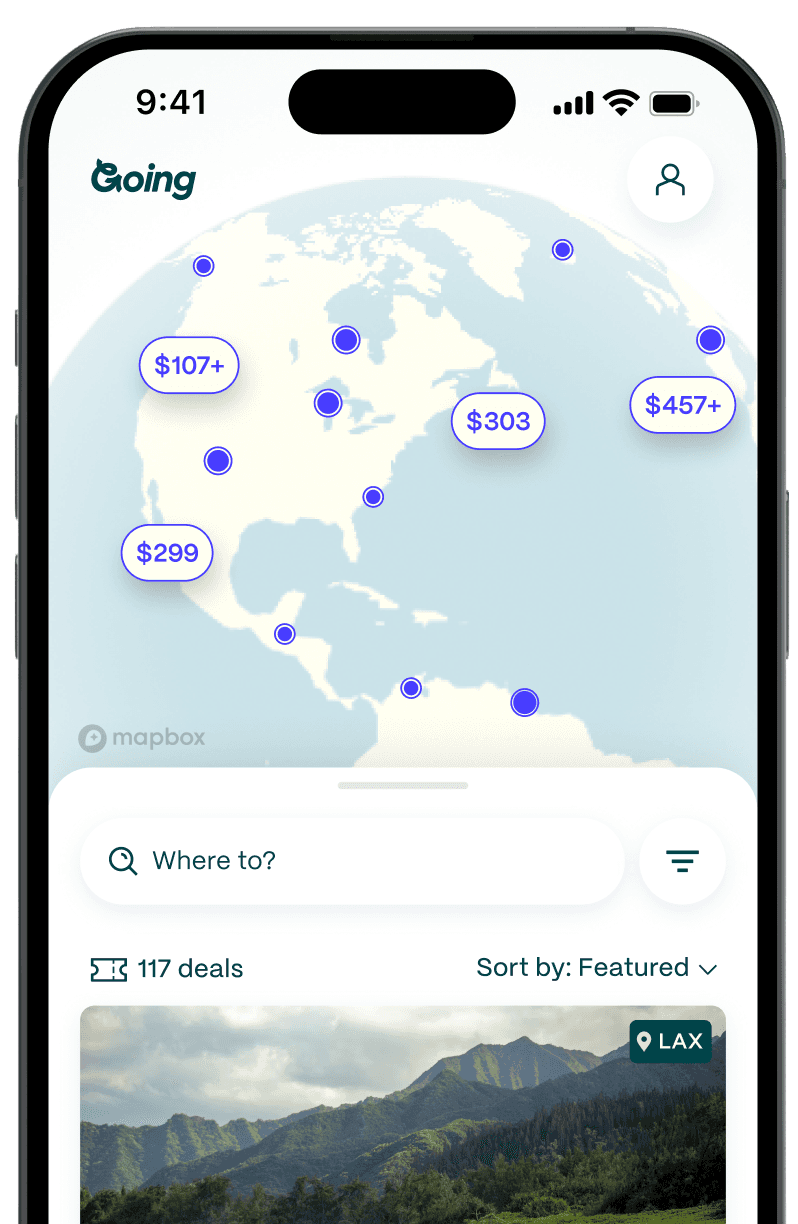
Going (formerly Scott's Cheap Flights) is built around a different idea than the rest of the apps on this list. Instead of you doing the searching, Going's team of flight experts watches fares to more than 500 destinations and sends curated deals to members. Most members start by signing up on the web, but for the most robust experience, download the app. This is currently the only place to unlock flight alerts and receive flight deals directly to your phone.
Going's plans cover different traveler types:
- Limited is the free, entry-level option, focused on domestic economy deals. Members save an average of $200 per roundtrip ticket.
- Premium adds international economy deals, points and miles offers, and mistake fares. Members save an average of $550 per roundtrip ticket.
- Elite goes a step further with premium economy, business, and first-class deals in both cash and points, often saving thousands of dollars per ticket.
Going doesn't handle the booking itself. When a deal drops, you book directly with the airline or through a major site like Google Flights, Skyscanner, or Kayak.

Sign up for Going to start receiving deals.
Hopper
Hopper is currently the gold standard for short-term price prediction. Set a route, choose dates, and Hopper tells you whether to book now or wait, plus how much you stand to save by waiting. The "Price Freeze" feature lets you lock in a fare for a small fee while you decide. Hopper has its own booking flow, though some travelers prefer to use Hopper to spot the deal and then book directly with the airline. It’s a strong choice if you only travel a few times a year and want one app to time the booking right.
Skyscanner (best for flexible destination search)
The streamlined Skyscanner app offers all of Skyscanner’s web features on your phone. By changing the destination setting to “Everywhere,” Skyscanner shows customers the best flight deals to a variety of locations all over the world based on their dates. The app further enhances this function with the “Explore” tab, which serves up recommended trips based on categories like “Solo Travel,” “Quick Getaways,” and “Last Minute,” as well as the best flight deals for upcoming weekends and specific months. Users can easily turn price alerts on and off through the app and past flight searches are surfaced at the bottom of the Search tab for one-click access.
Users can set up a profile to save search preferences on all their devices and securely store important travel data like passport information and airline loyalty accounts. The app’s Trips tabs keeps all future and past travel booked through Skyscanner in one place, and hotel and rental car searches are also supported on the app.
Kayak (best for travel management)
Kayak’s Explore tab isn’t quite as robust or sleekly designed as Skyscanner’s, but it does let users click around an illustrated map of suggested destinations marked by ticket price. Users can search the map based on price, dates, distance, and themes like “Beaches,” “Golfing,” and “Family.” The drawback here is the size of the map—on a phone-sized screen, the map can appear visually crowded and difficult to navigate by touch.
Aside from searching for flights, car rentals, and hotels, the Kayak app also allows users to personalize their experience by setting up price alerts, storing information for multiple travelers and rewards programs, and enabling a slew of notifications like monthly travel tips, special offers, travel inspiration, and helpful refund info for travel booked through Kayak.
The Trips section is handy while traveling, as it allows users to sign up for flight status, check-in, and gate change notifications, set up and organize packing lists, automatically share travel information with authorized email addresses, and import bookings directly from their email account to the app. The tab keeps all upcoming travel details in one place and can be accessed even without an active internet connection. Kayak even includes a function that helps users measure their bag using their phone’s camera to make sure it fits within an airline’s restrictions on carry-on or checked luggage sizes.
>> Read more about how to use Kayak to find cheap flights.
Momondo (best for surfacing budget carriers)
Design-wise, Momondo’s purple-hued app offers many of the same features as Kayak. We especially like Momondo because it checked hundreds of smaller OTAs so it can often find a cheaper price than other sites. However, it’s not great for flexible date (or flexible location search).
Users can either search for trips starting and ending on a specific set of dates or expand their search to include up to three days before or after their desired departure and arrival dates. Users can also check out a flight calendar before calculating their results which gives a visual indication of price changes surrounding their desired dates. Momondo then allows users to sort search results based on price, duration, best overall itinerary, and a “Custom” tab which lets users build their own itineraries from a bunch of different one way flights (though opting for mix-and-match flights like these most likely means purchasing each flight in a separate transaction).
The My Trips tab allows users to keep all their upcoming travel information in one place, including synced itineraries from email, updates on gate changes, check-in times, and flight delays, and shared itineraries, all of which is also accessible offline. Setting up a profile on Momondo streamlines future flight searches by saving a user’s preferences from previous searches and fare alerts are easy to set up throughout the app. Also like Kayak, users can measure their bags ahead of time with the helpful in-app tool.
Skiplagged (best for hidden-city fares)
Skiplagged follows a totally different model than most of the other flight deal apps. It employs a loophole called “hidden-city ticketing.” Skiplagged finds travelers unexpected deals by finding itineraries where the desired destination isn’t the route’s scheduled end-point, but rather a layover somewhere along the way.
For example, say you’re looking for a roundtrip ticket from New York to Chicago. A normal OTA would only show you flights connecting originating in NYC and terminating in Chicago. Skiplagged expands your search to include flights from New York to other cities, (for example, Tulsa, Denver or Kansas City) that have a layover in Chicago, as these combinations might be cheaper than your original route. When the flight connects in Chicago, instead of continuing on to the next city on the itinerary, you’ll just hop off in Chicago.
This flight deal hack might sound a bit complicated, and it does have some caveats. You can’t do it on a roundtrip unless it’s the final leg of the return that you’re skipping (once you skip a leg all subsequent flights will be cancelled) and you can’t check luggage. Additionally, if you do it often enough and the airline catches on, they can impose penalties like canceling your frequent flyer miles. But, if the savings are big enough and you can travel light and don’t do it often, it can be a great way to save.
The Skiplagged app makes it obvious when the itinerary involves hidden-city ticketing, the design is clean and user-friendly, and you can purchase tickets right in the app.
Which cheap flight app is right for you?
Most travelers will be best served by combining two or three of the apps above. Here's how to match an app to what you're actually trying to do.
If you want to research and compare
Start with Google Flights on desktop for the best calendar and price-graph views, then cross-check with Skyscanner or Momondo for any fares the bigger players missed. If you check routes in two of these apps, you'll see almost every available fare.
If you want deals sent to you automatically
Use Going for curated flight alerts from your home airports. The team watches 200+ US airports to 500+ destinations worldwide, and members only get fares worth booking, including mistake fares that disappear in hours. Pair with Hopper if you also want fare-watching on a specific route.
If your dates are flexible
Skyscanner's "Everywhere" search and "Whole Month" date view are the most flexible options out there. Google Flights' price graph is a strong alternative if you have a specific destination in mind and want to see how prices move across a window of dates.
If you're booking last-minute
Skiplagged is worth checking for short-notice domestic trips where direct fares look high. Hopper's price prediction is also useful. If it tells you fares are about to rise, book now. For surprise last-minute deals on routes you weren't actively watching, Going's alerts are where mistake fares show up first.
Pro tips for getting the cheapest fares
Use two to three apps together (prices vary)
No single app catches every fare. We routinely see Momondo undercut Google Flights by $30 to $50 on the same route, and Skyscanner's "Everywhere" view turns up fares that targeted searches miss. The five-minute habit of checking two or three apps before booking is one of the biggest cost-saving moves you can make as a traveler.
Set price alerts and let the deals come to you
You’re more likely to snag a cheap flight by setting a price alert, not by simply searching at the perfect moment. Set alerts on Google Flights, Skyscanner, and Hopper for the routes you care about. For broader coverage of unexpected fare drops, Going's deal alerts surface flights you weren't actively watching.
Be flexible with dates to unlock cheaper fares
Tuesday and Wednesday departures run cheaper than Friday and Sunday ones, and how much you can save changes depending on route, season, and availability. Even shifting your trip by a single day can help you save $50–$150 or more. Apps with calendar views (Google Flights, Skyscanner, Hopper) make it easy to spot cheaper combinations at a glance.
Book directly with the airline after comparing
Once you've found the fare, book directly with the airline whenever possible. You'll get better customer service if anything goes wrong, fewer middlemen between you and a refund, and full credit toward elite status. The exception: when an OTA's price is significantly lower and you're comfortable with their cancellation terms.
Frequently asked questions
What is the best platform to buy plane tickets?
What is the best app for flight price prediction?
What is the best app to use for traveling?
Is it better to book through the app or directly with the airline?

Last updated May 27, 2026